HackTheBox / Challenges
Find The Easy Pass
Finding the password in the Find The Easy Pass challenge: examining the program and stepping through it in a debugger.
Prerequisites
For Kali
- Wine.
- OllyDbg.
For Windows
- OllyDbg.
Reversing
I will use Kali. First, run OllyDbg through Wine.
wine OLLYDBG.EXENext, open the executable with File -> Open > EasyPass.exe.
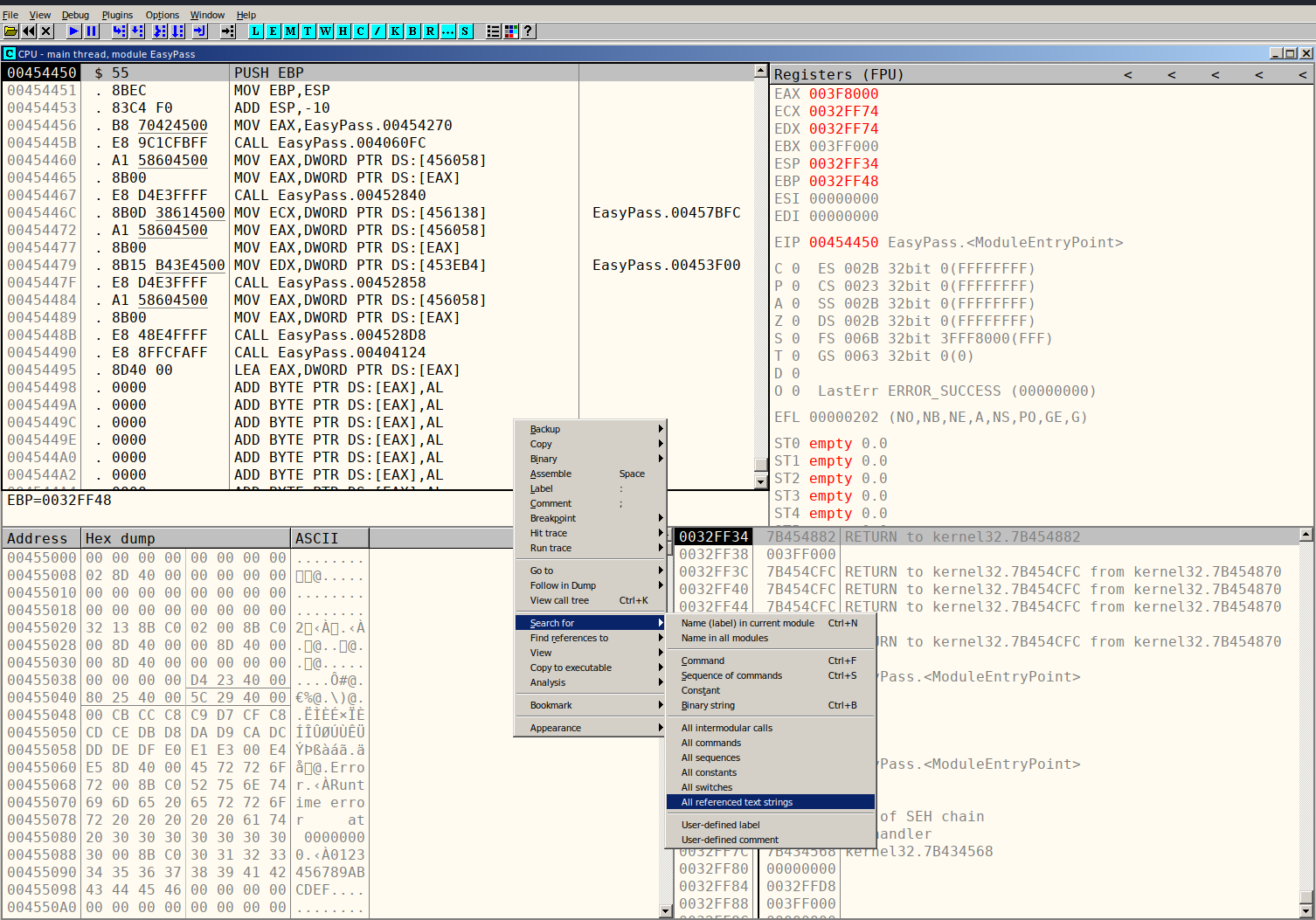
As the screenshot shows, search for the text password to find our way around the code.

Double-clicking Good Job Congratulations! takes us to the view below.
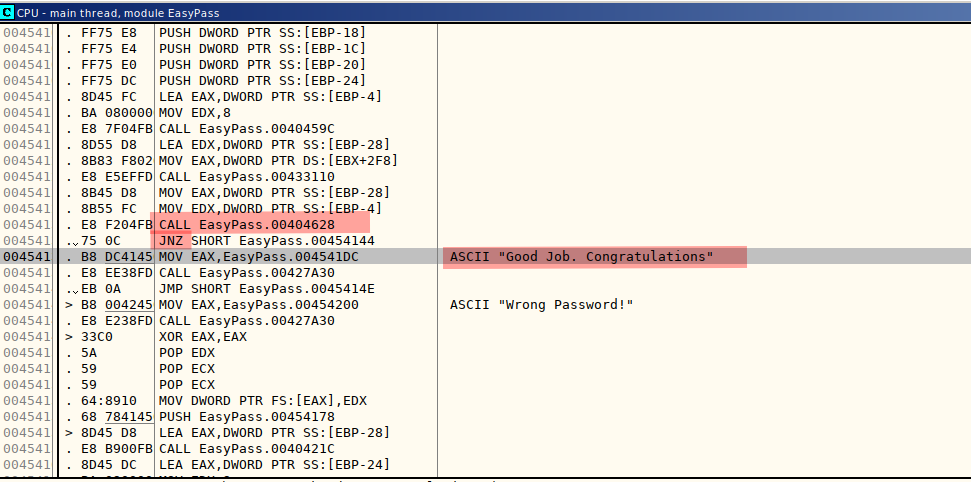
We can see a call to the EasyPass function, followed by a JNZ instruction, meaning Jump if not zero. It compares the string we supply with the correct string. If it matches, we get the “Good Job. Congratulation.” message.
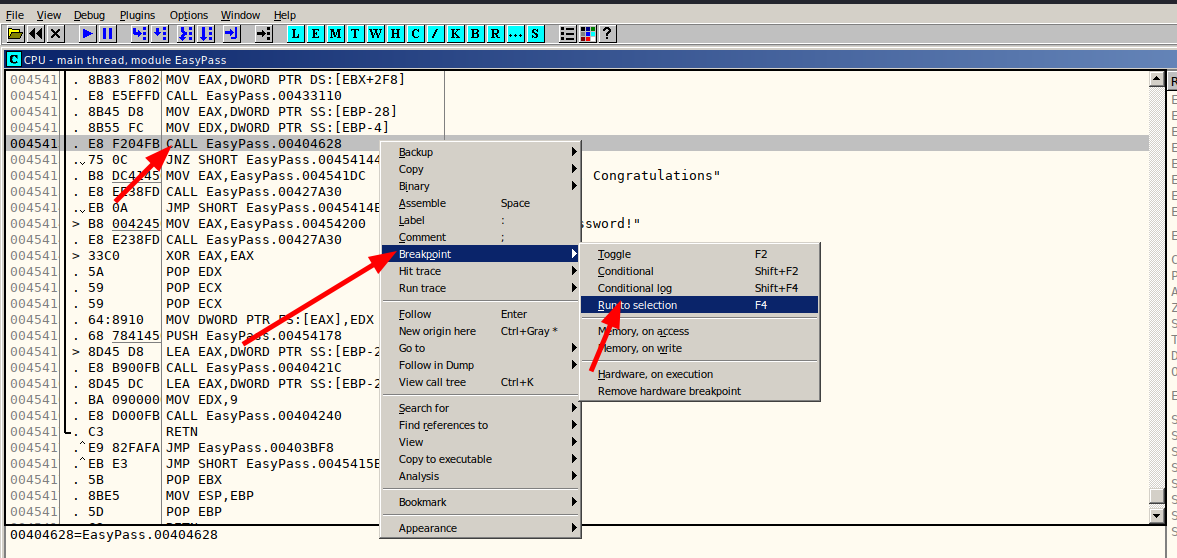
A useful next step is to set a breakpoint at the CALL instruction and run the program up to that point, so we can see which string our input is compared with.
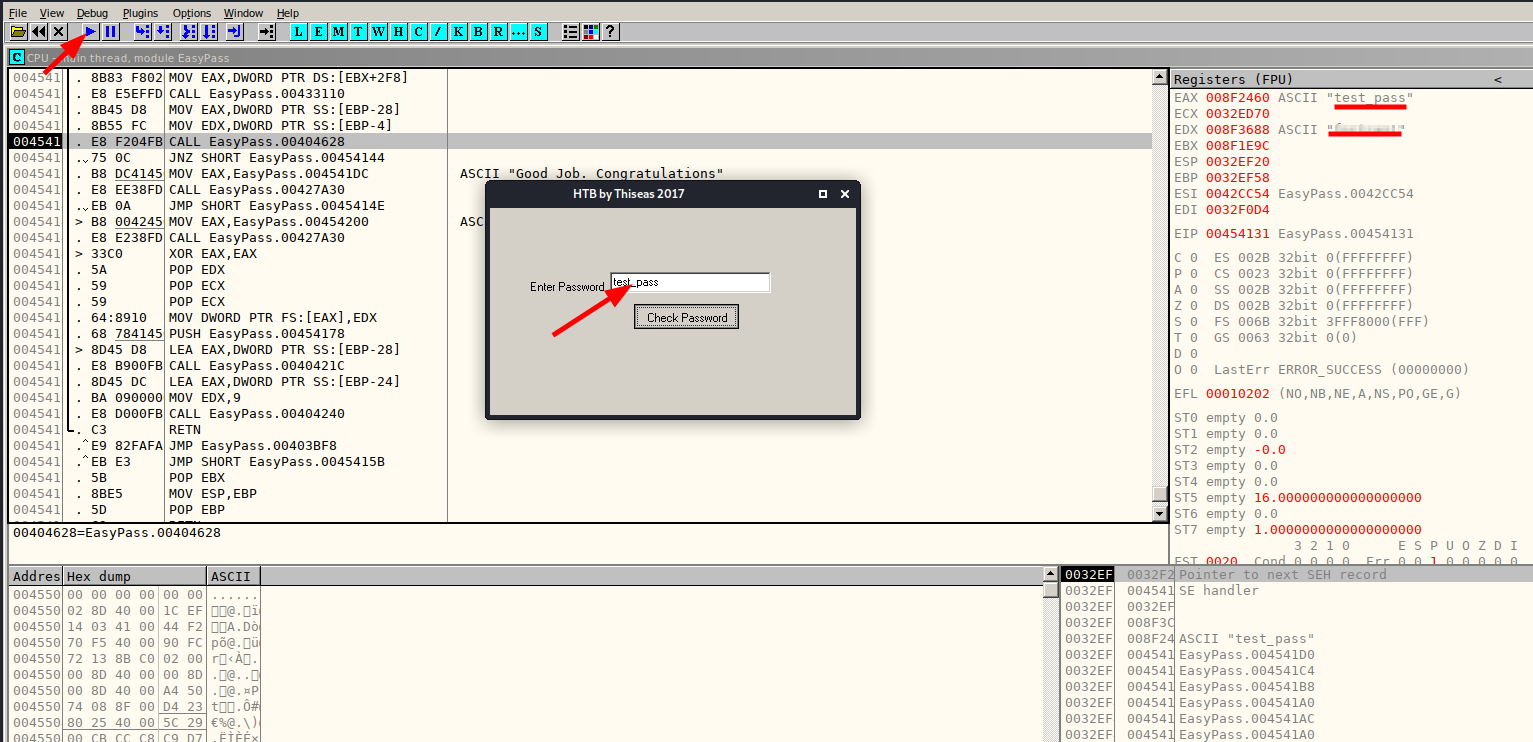
When the program runs, it asks us to enter a password and press Check. Enter test_pass and click Check. On the left, we can see our input being compared with the string required to satisfy the condition. That comparison string is the flag.